FanPerStep
Start here

Fan per Step Beginner Guide — July 2026

Start Fan per Step with the verified Steps → Fame → Levels → Fans loop, then use Play Buttons, gates, and rebirths without wasting progress.

Official gameplay loop · checked Jul 12, 2026
Quick answer

The practical route

Keep moving to earn Fame, let Fame raise your level, and target the next 10-level Fan milestone. Equip your strongest verified Play Button, open gates as level requirements allow, and treat rebirth as a multiplier reset only when your next run will recover comfortably.

How it works

Use the game’s real progression loop

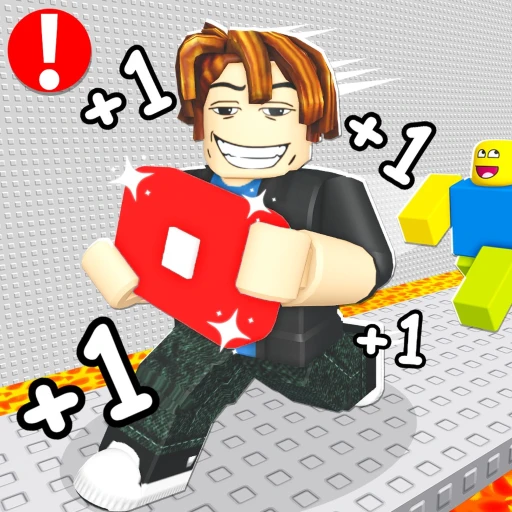
Fan per Step is an incremental simulator built around movement. The official game description connects each part of the loop: steps produce Fame, Fame advances levels, and every ten levels reaches a regular Fan milestone. Fans then boost Fame gain, while equipped Play Buttons increase Fame earned per step. That feedback loop is the key difference between this game and generic speed simulators.

Your early objective is consistency, not a rare-looking purchase. Stay on an accessible route, watch the Fame and level displays, and use the calculator to see the exact distance to the next 10-level milestone. A milestone count is not the same as total Fans owned because starter and paid Fans may also appear in inventory.

Locked gates and new worlds are progression checks. Reaching a gate does not prove its exact requirement, so read the live prompt before planning around it. Rebirths are officially described as granting larger multipliers, but the cost, reset scope, and break-even formula were not published in the evidence we checked. Use the readiness checklist rather than an invented optimal level.
Step-by-step

Follow this order

  1. 1

    Move and confirm Fame gain

    Walk the starter lane and verify that Fame rises. If it does not, rejoin before changing upgrades; the official loop depends on movement registering correctly.

  2. 2

    Aim for level 10

    Use Fame progress to gain levels. Level 10 is the first regular Fan milestone under the official one-Fan-every-10-levels rule.

  3. 3

    Equip a Play Button

    Play Buttons boost Fame per step. Compare the value shown in your current inventory and avoid assuming a reported color name is automatically stronger.

  4. 4

    Repeat through gates

    Use each new Fan and Play Button improvement to accelerate the loop, check gate prompts in game, and consider rebirth only after recovery feels repeatable.

If you're stuck

Reset the smallest uncertain step

Confirm movement is registering, check the live item or gate text, and rejoin once before changing several upgrades at the same time. Compare one visible value at a time so you can tell which Fan, Play Button, world, or rebirth state changed the result.

Avoid these

Common mistakes

Counting milestones as inventory

The calculator counts regular 10-level unlock points, not paid, starter, or otherwise acquired Fans.

Buying before checking the live price

Robux prices can change. Treat this site's prices as dated snapshots and confirm checkout inside Roblox.

Using another game's guide

Search results for similar +1 simulators can describe keyboard escapes or speed-only loops that do not belong to Fan per Step.

FAQ

Questions players ask

How do you get Fans in Fan per Step?

The official description says a new regular Fan unlocks every 10 levels. Other starter or paid Fans may change inventory.

What does Fame do?

Fame is the progression resource earned from movement and used to advance levels.

What do Play Buttons do?

Equipped Play Buttons increase Fame earned per step. Exact values depend on the item shown in game.

When should a beginner rebirth?

Rebirth when the live requirement is met and your boosts make the recovery run manageable; no verified break-even formula is available.

Next Fan calculatorSee levels remaining to the next milestone.Play ButtonsUnderstand the confirmed boost and evidence gaps.Rebirth guideUse the qualitative readiness checklist.